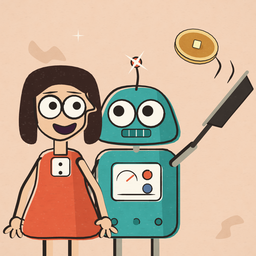
Gulp Catch
The game from the Dot & Flip Python cartoons. Flip tosses pancakes. Gulp catches them. You change the rules.
The whole game is one Python file: gulp_catch.py.
Kids: ask a grown-up to help with step 1. Installing a program needs their password.
On this page: What you need · 1. Install Python · 2. Get the game · 3. Play · Change the rules · Build it step by step · If something goes wrong · For grown-ups
What you need
- A computer with Windows, a Mac or Linux. Not a tablet or a phone: the game opens its own window, and they cannot do that.
- Python 3. It is free. Step 1 puts it on your computer.
- About ten minutes, and a grown-up for step 1.
Already have Python and IDLE? Jump to step 2.
Step 1: Install Python
Watch it first: the film Lesson 0: installing Python at home shows every click, on Windows and on a Mac.
Windows
- Go to python.org/downloads.
- Skip the big button. Click the small link under it: the installer.
- Open the downloaded file. Tick the box at the bottom, Add python.exe to PATH. Then click Install Now.
- If Windows asks whether this app may make changes, a grown-up clicks Yes.
- When it says Setup was successful, click Close.
- Open the Start menu, type
IDLE, and click it.
Mac
- Go to python.org/downloads and click the download button. You get a package file.
- Open it. Click Continue until you see Agree. Click Agree, then Install. A grown-up types their name and password.
- When it is done, a Python folder opens in Applications. Inside is IDLE. Double-click it.
Use the Python from python.org. Some other ways of installing Python on a Mac leave out the part that draws windows, and the game needs it.
Linux
Most Linux computers already have Python. Add IDLE and the part that draws windows:
- Ubuntu, Debian, Raspberry Pi OS:
sudo apt install idle3 python3-tk - Fedora:
sudo dnf install python3-idle python3-tkinter
Then open IDLE from the menu.
Check that it works
IDLE opens a window with >>> in it. That is the Shell. Type this after the arrows and press Enter:
print("Hello, Gulp")
If you see Hello, Gulp, Python is ready.
Step 2: Get the game
There are two ways. Way B always works, so if Way A gives you trouble, use Way B.
Way A: download the file
- Click here: download gulp_catch.py. If a page full of code opens instead, use Way B below.
- Your browser may ask whether to keep the file. It is plain text that you can read, so choose Keep.
- The file is now in your Downloads folder. Move it to Documents, so you can find it next time.
Way B: copy and paste
- Click Copy the game under the code below. If the button does nothing, click inside the code, press Ctrl+A and then Ctrl+C. On a Mac: Cmd+A, then Cmd+C.
- In IDLE, click File, then New File. An empty window opens.
- Paste: Ctrl+V. On a Mac: Cmd+V.
- Click File, then Save As. Name it
gulp_catch.pyand save it in Documents.
Show the whole game (about 300 lines)
# Gulp Catch
#
# Flip tosses pancakes. Gulp catches them.
# Left and Right arrows move Gulp. Space starts the game.
# Catch the golden pancakes. Do not catch the burnt ones.
#
# To play: open this file in IDLE and press F5.
# If the arrows do nothing, click the game window first.
#
# Everything after a # is a note for people. Python skips it.
# The numbers below are the rules. Change one and play again.

from tkinter import Tk, Canvas
from random import randint
import time

lives_at_start = 3        # lose this many pancakes and the game is over
gulp_speed = 7            # how far Gulp moves in one step
gravity_at_start = 0.15   # how hard the pancakes are pulled down
faster = 0.02             # more pull for every five pancakes caught
fastest_fall = 12         # top falling speed. Much faster, and a pancake can jump past the mouth
toss_every_at_start = 80  # steps between two pancakes at the start
burnt_chance = 5          # about one pancake in five is burnt

width = 480
height = 640
counter_top = 600         # pancakes land here


def touching(a, b):
    # a and b are boxes: [left, top, right, bottom]
    return a[0] < b[2] and b[0] < a[2] and a[1] < b[3] and b[1] < a[3]


class Flip:
    def __init__(self, canvas):
        self.canvas = canvas
        self.x = 120
        self.speed = 2
        x = self.x
        self.parts = [
            canvas.create_line(x, 58, x, 40, width=3, fill="gray30"),
            canvas.create_oval(x - 6, 32, x + 6, 44, fill="orange red", outline=""),
            canvas.create_rectangle(x - 22, 58, x + 22, 90, fill="light sea green",
                                    outline="dark slate gray", width=2),
            canvas.create_oval(x - 13, 68, x - 5, 76, fill="black"),
            canvas.create_oval(x + 5, 68, x + 13, 76, fill="black"),
            canvas.create_rectangle(x - 28, 92, x + 28, 140, fill="light sea green",
                                    outline="dark slate gray", width=2),
            canvas.create_line(x + 28, 108, x + 50, 108, width=4, fill="gray30"),
            canvas.create_oval(x + 46, 100, x + 86, 114, fill="gray20", outline=""),
        ]

    def step(self):
        # Flip walks along the top and turns around at the walls.
        self.x = self.x + self.speed
        for part in self.parts:
            self.canvas.move(part, self.speed, 0)
        if self.x <= 40 or self.x >= width - 90:
            self.speed = -self.speed


class Pancake:
    def __init__(self, canvas, x, y, burnt):
        self.canvas = canvas
        self.x = x
        self.y = y
        self.speed_x = randint(-3, 3)
        self.speed_y = -randint(2, 5)    # tossed up out of the pan
        self.burnt = burnt
        self.landed = False
        if burnt:
            self.shape = canvas.create_oval(x - 20, y - 7, x + 20, y + 7,
                                            fill="saddle brown", outline="black", width=2)
        else:
            self.shape = canvas.create_oval(x - 20, y - 7, x + 20, y + 7,
                                            fill="goldenrod", outline="dark goldenrod", width=2)

    def step(self, gravity):
        # Gravity: every step, the pancake falls a little faster.
        self.speed_y = self.speed_y + gravity
        if self.speed_y > fastest_fall:
            self.speed_y = fastest_fall
        # Bounce off the side walls.
        if self.x + self.speed_x < 20 or self.x + self.speed_x > width - 20:
            self.speed_x = -self.speed_x
        # Land on the counter.
        if self.y + self.speed_y > counter_top - 7:
            self.speed_y = counter_top - 7 - self.y
            self.speed_x = 0
            self.landed = True
        self.x = self.x + self.speed_x
        self.y = self.y + self.speed_y
        self.canvas.move(self.shape, self.speed_x, self.speed_y)

    def box(self):
        return [self.x - 20, self.y - 7, self.x + 20, self.y + 7]

    def hide(self):
        self.canvas.itemconfig(self.shape, state="hidden")


class Gulp:
    def __init__(self, canvas):
        self.canvas = canvas
        self.x = width / 2
        self.speed = 0
        x = self.x
        c = canvas
        body = c.create_oval(x - 100, 470, x + 100, 730, fill="plum4", outline="")
        dots = [
            c.create_oval(x - 88, 548, x - 70, 566, fill="thistle", outline=""),
            c.create_oval(x + 66, 534, x + 84, 552, fill="thistle", outline=""),
            c.create_oval(x - 62, 584, x - 46, 600, fill="thistle", outline=""),
            c.create_oval(x + 44, 582, x + 60, 598, fill="thistle", outline=""),
            c.create_oval(x - 52, 484, x - 38, 498, fill="thistle", outline=""),
        ]
        eyes = [
            c.create_oval(x - 28, 490, x - 14, 504, fill="white", outline=""),
            c.create_oval(x - 24, 494, x - 18, 500, fill="black"),
            c.create_oval(x + 14, 490, x + 28, 504, fill="white", outline=""),
            c.create_oval(x + 18, 494, x + 24, 500, fill="black"),
        ]
        open_mouth = c.create_oval(x - 60, 520, x + 60, 580, fill="gray10", outline="")
        half_mouth = c.create_oval(x - 60, 536, x + 60, 564, fill="gray10", outline="",
                                   state="hidden")
        shut_mouth = c.create_oval(x - 56, 547, x + 56, 553, fill="gray10", outline="",
                                   state="hidden")
        self.burp_text = c.create_text(x, 446, text="BURP!", fill="plum4",
                                       font="Helvetica 22 bold", state="hidden")
        self.mouths = [open_mouth, half_mouth, shut_mouth]
        # Chewing is a list of pictures, shown one after another.
        self.frames = [shut_mouth, half_mouth, shut_mouth, half_mouth, shut_mouth, open_mouth]
        self.frame = 0
        self.frame_timer = 0
        self.chewing = False
        self.burp_timer = 0
        self.parts = [body, open_mouth, half_mouth, shut_mouth, self.burp_text]
        for part in dots:
            self.parts.append(part)
        for part in eyes:
            self.parts.append(part)

    def go_left(self, event):
        self.speed = -gulp_speed

    def go_right(self, event):
        self.speed = gulp_speed

    def stop_left(self, event):
        if self.speed < 0:
            self.speed = 0

    def stop_right(self, event):
        if self.speed > 0:
            self.speed = 0

    def step(self):
        new_x = self.x + self.speed
        if new_x > 100 and new_x < width - 100:
            self.x = new_x
            for part in self.parts:
                self.canvas.move(part, self.speed, 0)
        if self.chewing:
            self.frame_timer = self.frame_timer + 1
            if self.frame_timer == 5:
                self.frame_timer = 0
                self.show_mouth(self.frames[self.frame])
                self.frame = self.frame + 1
                if self.frame == len(self.frames):
                    self.chewing = False
        if self.burp_timer > 0:
            self.burp_timer = self.burp_timer - 1
            if self.burp_timer == 0:
                self.canvas.itemconfig(self.burp_text, state="hidden")

    def show_mouth(self, mouth):
        for other in self.mouths:
            self.canvas.itemconfig(other, state="hidden")
        self.canvas.itemconfig(mouth, state="normal")

    def chew(self):
        self.chewing = True
        self.frame = 0
        self.frame_timer = 4

    def burp(self):
        self.canvas.itemconfig(self.burp_text, state="normal")
        self.burp_timer = 40

    def mouth_box(self):
        return [self.x - 60, 520, self.x + 60, 560]


class Game:
    def __init__(self):
        self.window = Tk()
        self.window.title("Gulp Catch")
        self.window.protocol("WM_DELETE_WINDOW", self.close)
        self.canvas = Canvas(self.window, width=width, height=height, bg="powder blue")
        self.canvas.pack()
        self.flip = Flip(self.canvas)
        self.gulp = Gulp(self.canvas)
        # The counter: missed pancakes land on it, the score is written on its front.
        self.canvas.create_rectangle(0, counter_top, width, height, fill="slate gray", outline="")
        self.canvas.create_line(0, counter_top, width, counter_top, width=3, fill="light slate gray")
        self.status = self.canvas.create_text(width / 2, (counter_top + height) / 2, text="",
                                              fill="white", font="Helvetica 16 bold")
        self.message = self.canvas.create_text(width / 2, 300, justify="center",
                                               font="Helvetica 18 bold",
                                               text="GULP CATCH\n\n"
                                                    "Left and Right move Gulp.\n"
                                                    "Catch the golden pancakes.\n"
                                                    "Not the burnt ones.\n\n"
                                                    "Space: start")
        self.canvas.bind_all("<KeyPress-Left>", self.gulp.go_left)
        self.canvas.bind_all("<KeyPress-Right>", self.gulp.go_right)
        self.canvas.bind_all("<KeyRelease-Left>", self.gulp.stop_left)
        self.canvas.bind_all("<KeyRelease-Right>", self.gulp.stop_right)
        self.canvas.bind_all("<KeyPress-space>", self.start)
        self.pancakes = []
        self.landed = []
        self.score = 0
        self.lives = lives_at_start
        self.show_status()
        self.playing = False
        self.window_open = True

    def start(self, event):
        if not self.playing:
            for pancake in self.pancakes:
                pancake.hide()
            for pancake in self.landed:
                pancake.hide()
            self.pancakes = []
            self.landed = []
            self.score = 0
            self.lives = lives_at_start
            self.gravity = gravity_at_start
            self.toss_every = toss_every_at_start
            self.toss_timer = 30
            self.canvas.itemconfig(self.message, text="")
            self.show_status()
            self.playing = True

    def show_status(self):
        self.canvas.itemconfig(self.status, text=f"Score {self.score}      Lives {self.lives}")

    def toss(self):
        burnt = randint(1, burnt_chance) == 1
        pancake = Pancake(self.canvas, self.flip.x + 66, 107, burnt)
        self.pancakes.append(pancake)

    def caught(self, pancake):
        pancake.hide()
        self.pancakes.remove(pancake)
        if pancake.burnt:
            self.gulp.burp()
            self.lose_life()
        else:
            self.gulp.chew()
            self.score = self.score + 1
            if self.score % 5 == 0:
                self.gravity = self.gravity + faster
                if self.toss_every > 30:
                    self.toss_every = self.toss_every - 5
            self.show_status()

    def dropped(self, pancake):
        self.pancakes.remove(pancake)
        self.landed.append(pancake)
        if not pancake.burnt:
            self.lose_life()

    def lose_life(self):
        self.lives = self.lives - 1
        self.show_status()
        if self.lives == 0:
            self.playing = False
            self.canvas.itemconfig(self.message,
                                   text=f"GAME OVER\n\nScore {self.score}\n\nSpace: play again")

    def step(self):
        self.flip.step()
        self.gulp.step()
        if self.playing:
            self.toss_timer = self.toss_timer - 1
            if self.toss_timer == 0:
                self.toss()
                self.toss_timer = self.toss_every
            # Walk over a copy of the list: removing from the list
            # you are walking over skips pancakes.
            for pancake in self.pancakes[:]:
                pancake.step(self.gravity)
                if touching(pancake.box(), self.gulp.mouth_box()):
                    self.caught(pancake)
                elif pancake.landed:
                    self.dropped(pancake)
                if not self.playing:
                    break

    def close(self):
        self.window_open = False

    def run(self):
        while self.window_open:
            self.step()
            self.window.update()
            time.sleep(0.02)
        self.window.destroy()


game = Game()
game.run()
Step 3: Play
- Open IDLE.
- Click File, then Open. Find
gulp_catch.pyand open it. A window with the code appears. Do not double-click the file itself: then it may run without IDLE, and you cannot change the rules. - Press F5, or click Run, then Run Module. On many laptops and Macs, hold fn and press F5.
- The game window opens. Click it once, so it hears the keys.
- Press Space. Flip starts tossing.
| Key | What it does |
|---|---|
| ← Left arrow | Gulp goes left |
| → Right arrow | Gulp goes right |
| Space | Start, and play again after the game is over |
| Close the window | Stop the game |
The rules of the game:
- Flip walks along the top and tosses pancakes out of his pan.
- A golden pancake in Gulp's mouth: one point. Gulp chews.
- A burnt pancake (dark brown) in Gulp's mouth: Gulp burps, and you lose a life.
- A golden pancake that lands on the counter: you lose a life. A burnt one on the counter costs nothing.
- You have 3 lives. No lives left: GAME OVER. Press Space to play again.
- Every five points, the pancakes fall faster and Flip tosses more often.
Change the rules
At the top of the file, the rules are just numbers. Change one, and play again.
| Rule | Starts at | What it means |
|---|---|---|
lives_at_start |
3 |
how many pancakes you can lose before the game is over |
gulp_speed |
7 |
how far Gulp moves in one step |
gravity_at_start |
0.15 |
how hard the pancakes are pulled down |
faster |
0.02 |
more pull for every five pancakes caught |
fastest_fall |
12 |
the top falling speed |
toss_every_at_start |
80 |
steps between two pancakes at the start. Smaller means more pancakes |
burnt_chance |
5 |
about one pancake in this many is burnt |
How to change one:
- In the window with the code, find the line, for example
gulp_speed = 7. - Change only the number:
gulp_speed = 20. - Save: Ctrl+S. On a Mac: Cmd+S.
- Press F5 and play. Gulp zooms.
Ideas to try:
- Give Gulp ten lives:
lives_at_start = 10 - Make gravity smaller, so the pancakes fall slower:
gravity_at_start = 0.05 - Make Flip toss more often:
toss_every_at_start = 30 - Every pancake burnt:
burnt_chance = 1. Good luck. - A puzzle: try
gulp_speed = 300. Gulp does not move at all. Why? Look atdef stepinsideclass Gulp.
Something will break. Something always does. Then you fix it, just like Dot:
- Read the red text in the Shell. The last line says what went wrong. A line above it says which line of the file, like
line 18. - To jump to that line, click Edit, then Go to Line.
- To take back your last change, press Ctrl+Z. On a Mac: Cmd+Z.
- Numbers like
0.15use a dot, not a comma.0,15breaks the game. - Still stuck? Get a fresh copy (step 2). To keep your own version, save it under another name first.
Below the rules are width, height and counter_top: the size of the window and where the counter is. You can change them too, but Flip and Gulp are drawn for this size.
Build it step by step
The films build the game in six parts. Each part is a whole program: open it in IDLE and press F5.
| Part | File | Film | What is new |
|---|---|---|---|
| 1 | part1_loop.py | Lesson 46: A Game Is a Loop | Flip walks, a pancake flies from wall to wall. A game is a loop |
| 2 | part2_drive.py | Lesson 47: Gulp Drives | The arrows drive Gulp, and he stops at the edges |
| 3 | part3_catch.py | Lesson 48: Through the Mouth | A pancake that touches Gulp's mouth is caught |
| 4 | part4_rules.py | Lesson 49: Game Over, Eventually | Points, lives, game over. Space starts again |
| 5 | part5_many.py | Lesson 50: One Loop, Many Pancakes | Many pancakes at once, and burnt ones |
| 6 | part6_gravity.py | Lesson 51: Gravity Goes the Wrong Way | Gravity, landing, chewing. The whole game |
Part 6 is the same game as gulp_catch.py.
In parts 1 to 3, closing the window ends with a red message in the Shell. That is expected: part 4 shows how a game closes its window properly.
If something goes wrong
| What you see | What to do |
|---|---|
| The arrows do nothing | Click the game window once |
| F5 does nothing | Click the window with the code first, not the Shell. On a laptop or a Mac, hold fn and press F5. Or click Run, then Run Module |
| No game window | It may be hiding behind IDLE. Look in the taskbar (Windows) or the Dock (Mac) |
| IDLE asks Source Must Be Saved | Click OK. IDLE saves the file and runs it |
No module named 'tkinter' |
Linux: install python3-tk (step 1). Mac: install Python from python.org |
SyntaxError after a change |
Something besides a number changed. Press Ctrl+Z (Cmd+Z on a Mac), or get a fresh copy |
ValueError that says empty range |
burnt_chance is below 1. Make it 1 or more |
TypeError that mentions tuple |
A number has a comma: write 0.15, not 0,15 |
| A red message when you close the window | In parts 1 to 3, that is expected |
For grown-ups
- What the program does. It draws in its own window and listens to the arrow keys and Space while that window is active. It does not use the internet, does not read or write files, and keeps no data. It uses only modules that come with Python:
tkinter,randomandtime. - Read it first, if you like. It is one text file of about 300 lines, with notes in plain English after each
#. - Questions: our Telegram channel for parents and teachers, t.me/dotandflip.
- The films:
@dotandflipon YouTube, Instagram, TikTok and Facebook. - Teachers: copy it, change it and share it with your class. See the licence below.
Licence
MIT: free to use, copy, change and share. The full text is in LICENSE.